Download CaptainVFR
Download CaptainVFR for your preferred platform. Available for iOS, Android, macOS, and as a web application. Get the most comprehensive VFR flight planning too...
2 min read
Use CaptainVFR seamlessly across web, iOS, Android, and macOS with automatic synchronization of all your flight data
Your flight planning shouldn’t be limited by the device in your hand. CaptainVFR delivers a truly unified aviation experience across every platform you use—from your iPhone in the cockpit to your desktop computer at home. Plan your flight on your laptop, review it on your tablet, and fly it on your phone, with every detail synchronized automatically and instantly.
Whether you’re a weekend warrior who plans flights on Sunday morning at your desk, a professional pilot managing multiple aircraft across devices, or a flight instructor coordinating with students, CaptainVFR’s cross-platform architecture ensures your aviation data follows you everywhere. No manual transfers, no version conflicts, no data loss—just seamless access to everything you need, whenever and wherever you need it.
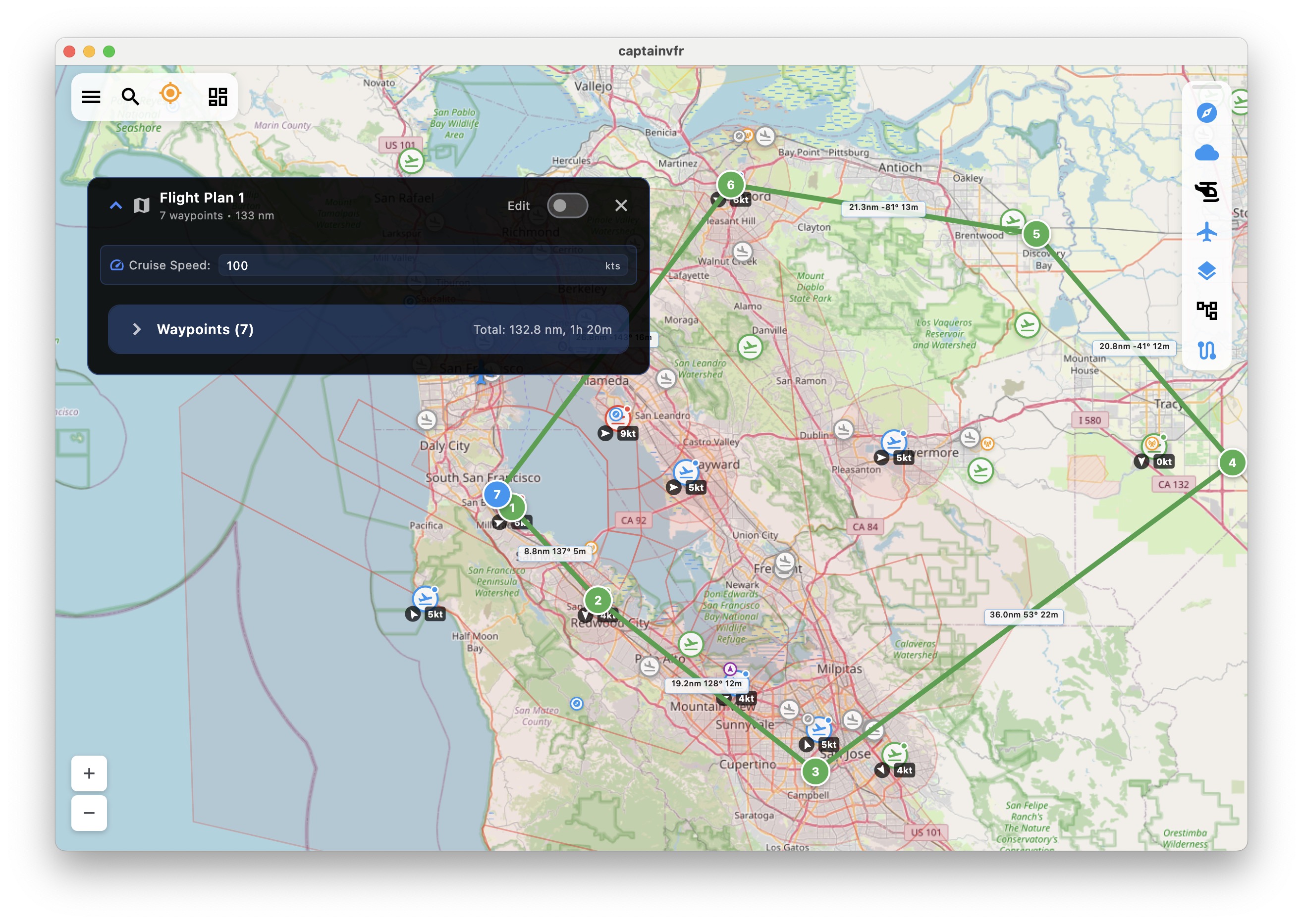
Native applications optimized for each platform, delivering the best possible experience whether you're on mobile, desktop, or web
The magic of CaptainVFR’s cross-platform experience isn’t just that it works everywhere—it’s that everything stays perfectly synchronized without you ever thinking about it. Create a flight plan on your desktop during your morning coffee, and it’s instantly available on your phone when you arrive at the airport. Add a waypoint on your tablet during preflight, and it appears on your phone before you’ve even started the engine.
Our intelligent synchronization engine works continuously in the background, using differential sync technology to transfer only what’s changed, keeping bandwidth usage minimal and battery impact negligible. Whether you’re on cellular data at 10,000 feet or on hotel Wi-Fi planning tomorrow’s flight, your data stays synchronized across every device you own.
Every piece of aviation data you create, modify, or reference is automatically synchronized across all your devices in real-time
While your data stays perfectly synchronized, each platform delivers an experience optimized for how you actually use that device. Mobile apps leverage GPS and cameras for in-flight navigation and document scanning. Desktop applications provide expansive screens and keyboard shortcuts for efficient flight planning. The web app offers instant access from any computer without installation. Every platform plays to its strengths while maintaining complete feature parity where it matters.
On mobile devices, CaptainVFR takes full advantage of built-in GPS for real-time navigation, camera access for scanning documents and capturing photos, touch-optimized interfaces for quick interactions, offline mode for flying without connectivity, and push notifications for weather alerts and TFR warnings. Your phone becomes a complete aviation computer in your pocket.
Desktop applications leverage large screens for comprehensive flight planning with multiple windows, keyboard shortcuts for power users who plan dozens of flights, multi-monitor support for professional workflows, easy file import and export for integration with other tools, and direct printing for paper backups. Your computer becomes your flight planning command center.
The web application provides instant access without installation, automatic updates to the latest features, universal compatibility with any operating system, easy sharing via simple URLs, and integration with third-party services. Any computer becomes your flight planning station.
Life happens. Sometimes you modify a flight plan on your tablet while your phone is in airplane mode, then make different changes on your phone when you land. CaptainVFR’s intelligent conflict resolution system detects these situations and handles them gracefully, using smart merge algorithms to combine changes when possible and presenting clear options when human judgment is needed. You never lose data, and you’re always in control.
Our synchronization system tracks every change with precise timestamps and device identifiers, allowing it to understand the sequence of events even when devices are offline for extended periods. When conflicts arise, the system analyzes the changes and either merges them automatically (when changes affect different parts of the data) or presents you with a clear comparison view to choose which version to keep. It’s sophisticated technology that works invisibly, only asking for your input when truly necessary.
Your aviation data is sensitive and personal. CaptainVFR treats it with the security it deserves, using military-grade encryption for all data in transit and at rest, secure authentication with optional two-factor authentication, granular privacy controls over what syncs and what stays local, and complete data ownership with easy export options. Your data is yours, always encrypted, always under your control.
Every synchronization session uses TLS 1.3 encryption, the same technology that protects your banking transactions. Data stored in the cloud is encrypted with AES-256, and encryption keys are derived from your password using industry-standard key derivation functions. Even CaptainVFR’s servers can’t decrypt your data without your password. You can enable two-factor authentication for an additional security layer, and you can export all your data at any time in standard formats.
Switching devices should be effortless. When you get a new phone or tablet, CaptainVFR makes the transition seamless. Sign in with your account, and within minutes, all your flight plans, aircraft profiles, documents, and settings are synchronized to your new device. No manual transfers, no data loss, no configuration hassles. Your new device is ready to fly as soon as the sync completes.
For offline transitions, CaptainVFR supports local device-to-device transfer via Bluetooth or Wi-Fi Direct, perfect for situations where you need to move data without internet access. The system handles everything automatically, transferring your complete aviation database while maintaining data integrity and encryption throughout the process.
Aviation is often a team effort. CaptainVFR’s cross-platform synchronization extends to collaboration features, allowing you to share flight plans with other pilots, grant your flight instructor access to your progress, share aircraft profiles within your flying club, and collaborate on group flight planning. All sharing happens securely with granular permission controls, and you can revoke access at any time.
Flight instructors can monitor student progress across all their devices, reviewing flight logs and providing feedback from their desktop while students fly with their mobile devices. Flying clubs can maintain shared aircraft profiles that update automatically when any member makes changes. Pilots planning group flights can collaborate on routes, with changes visible to all participants in real-time.
CaptainVFR’s cross-platform synchronization isn’t just a feature—it’s the foundation of a modern aviation experience. Your data follows you everywhere, your preferences stay consistent, and you’re free to use whatever device makes sense for the task at hand. Plan on desktop, review on tablet, fly on phone, and know that everything is always synchronized, always secure, and always available.
Explore our comprehensive library of articles, guides, and tutorials to deepen your understanding of key concepts and stay up-to-date with the latest developments.
Download CaptainVFR for your preferred platform. Available for iOS, Android, macOS, and as a web application. Get the most comprehensive VFR flight planning too...

Major improvements to heading display, compass functionality, and map rotation modes for better situational awareness during flight
The most comprehensive VFR flight planning application for pilots. Available on Web, iOS, macOS, and Android. Real-time weather, NOTAMs, and advanced flight pla...